
The interactive guitar fretboard tool from Play It Loud
LUCID: the interactive guitar fretboard tool
See the fretboard the way great guitarists see it.
Chord tones in the context of the scale, the progression and the song. Everything else on the neck is context that makes those notes mean something.
WHY LUCID
Most guitar tools show you a scale as a pile of dots. That is how you end up stuck in the same box, playing the same five notes over every chord.
Lucid is built around how advanced players actually think: where am I in the song, what chord is under me, and which notes land. It is the same theory engine behind every Play It Loud course, so what you read in a lesson, you can see and hear on the neck.
Chords, scales and the songs they live in
Every chord shows its tones inside the scale it comes from, so you stop memorizing boxes and start seeing why a note works.
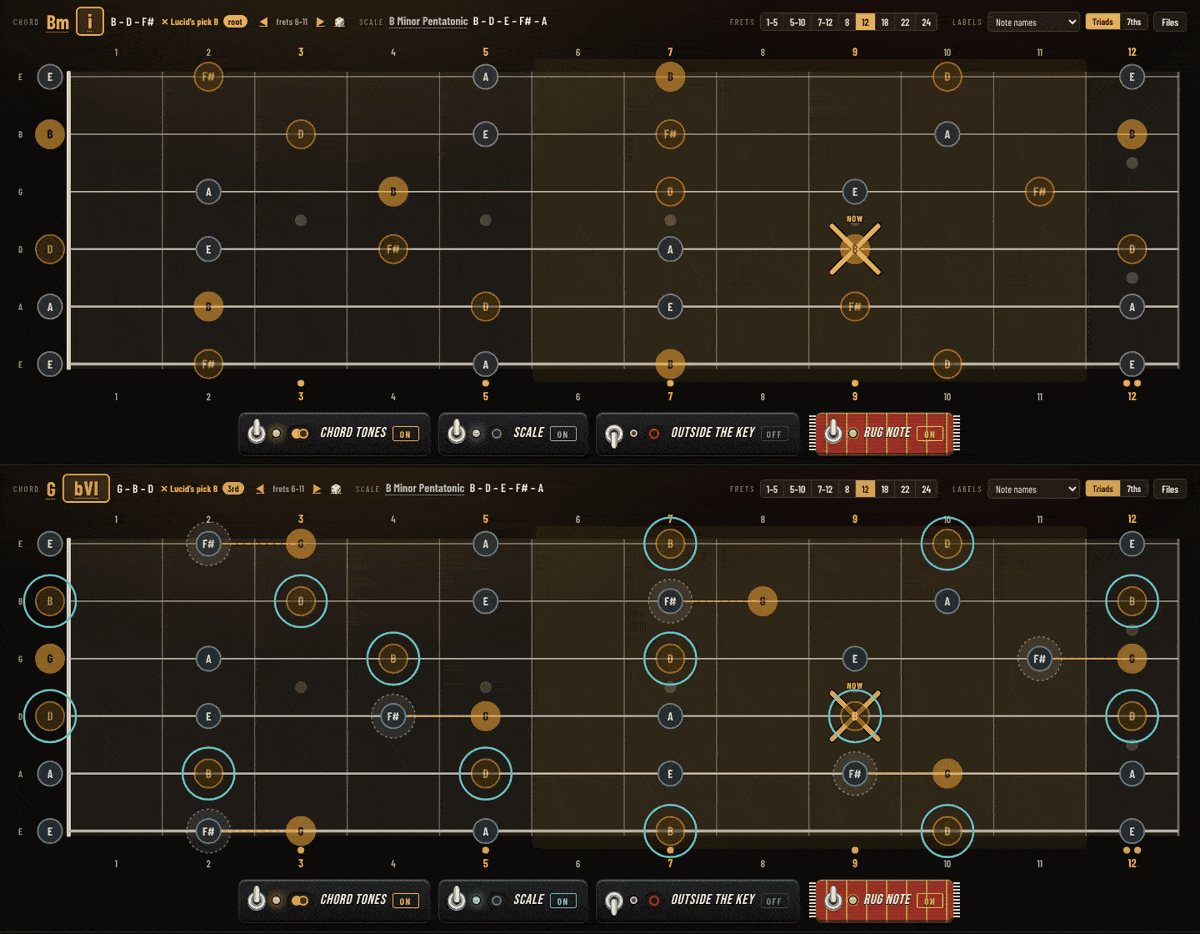


Chord + scale view
Load a chord and a scale and the chord tones light up inside it. The notes are spelled above the neck (G – B – D) so you always know what you are looking at.
Progression library
The progressions from the Play It Loud courses, with Roman numerals and playback. Watch each chord change on the neck as the song moves.
Voicings library
Voicings from the lessons, searchable by type. Ask for “maj7 voicings” and get them, shown in the key and scale they come from.
Make Some Chords For Me
Pick a genre (midwest emo, country, neo-soul, gospel) and get playable voicings. A Spice dial sets how much chromaticism sneaks in.
Same notes, new name
See when two chords are really the same notes (Dm7 = Fmaj6), and flip it around: pick a scale and see every chord it implies.
Solos and melodies, note by note
Pull up a solo and watch its notes light up on the fretboard in rhythm, with the chords underneath so you can see what the player was aiming at.
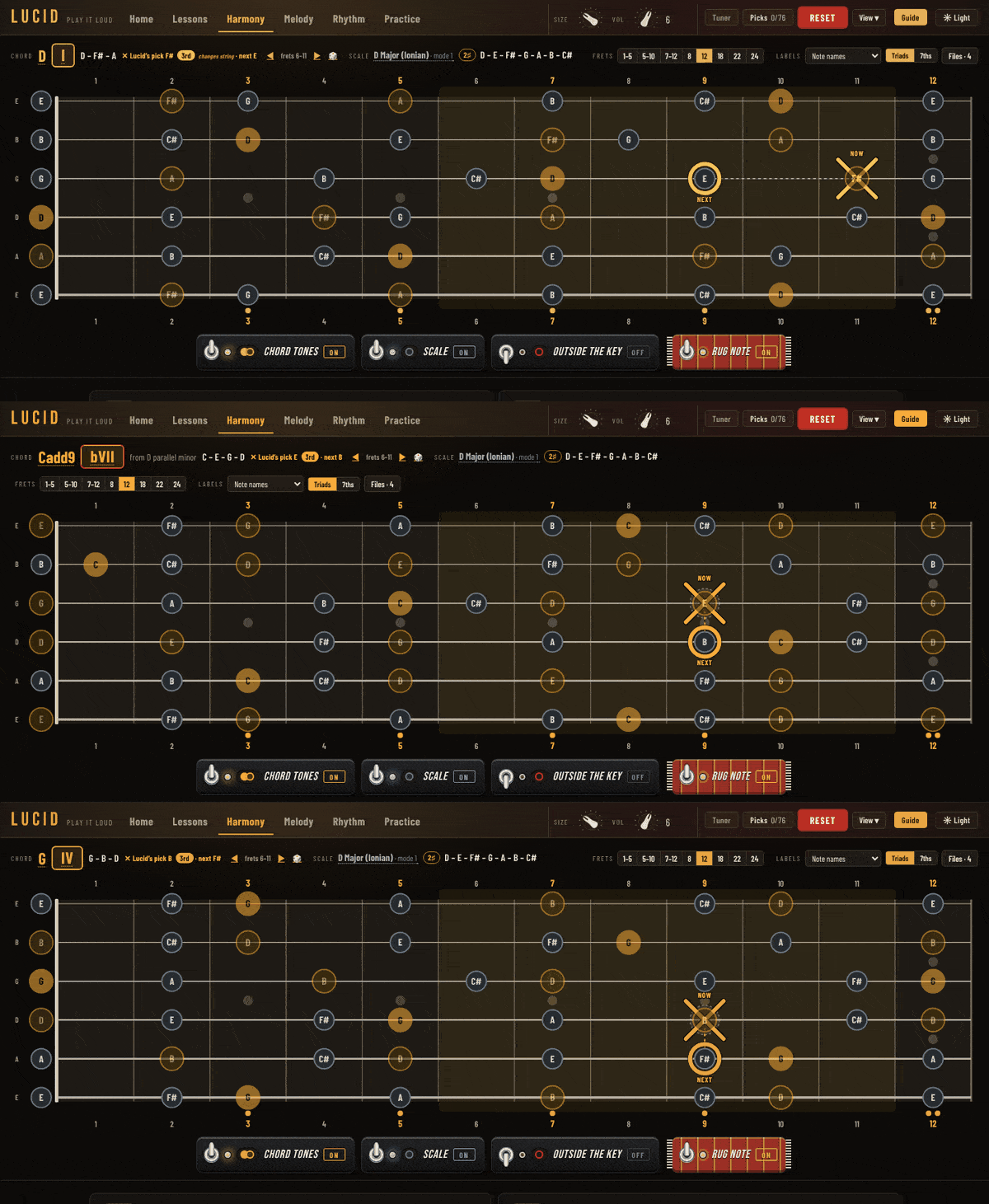

The Rug Note
One target note per chord, so you always know where to land. The next chord’s Rug Note shows up before the change.
Solo playback
Solos discussed in the courses, played back on the neck with chord symbols over every bar.
Harmonize a melody
Enter up to four melody notes and find the chords that fit under them.
Song walkthroughs
Chord-melody arrangements, riffs and examples from the lessons, stepped through one move at a time.
See how a rhythm actually counts
Run a scale pattern up or down the neck in quarters, 8ths, 16ths, triplets, sextuplets, 5s and 7s, with the “1 e & a” count shown as it plays.
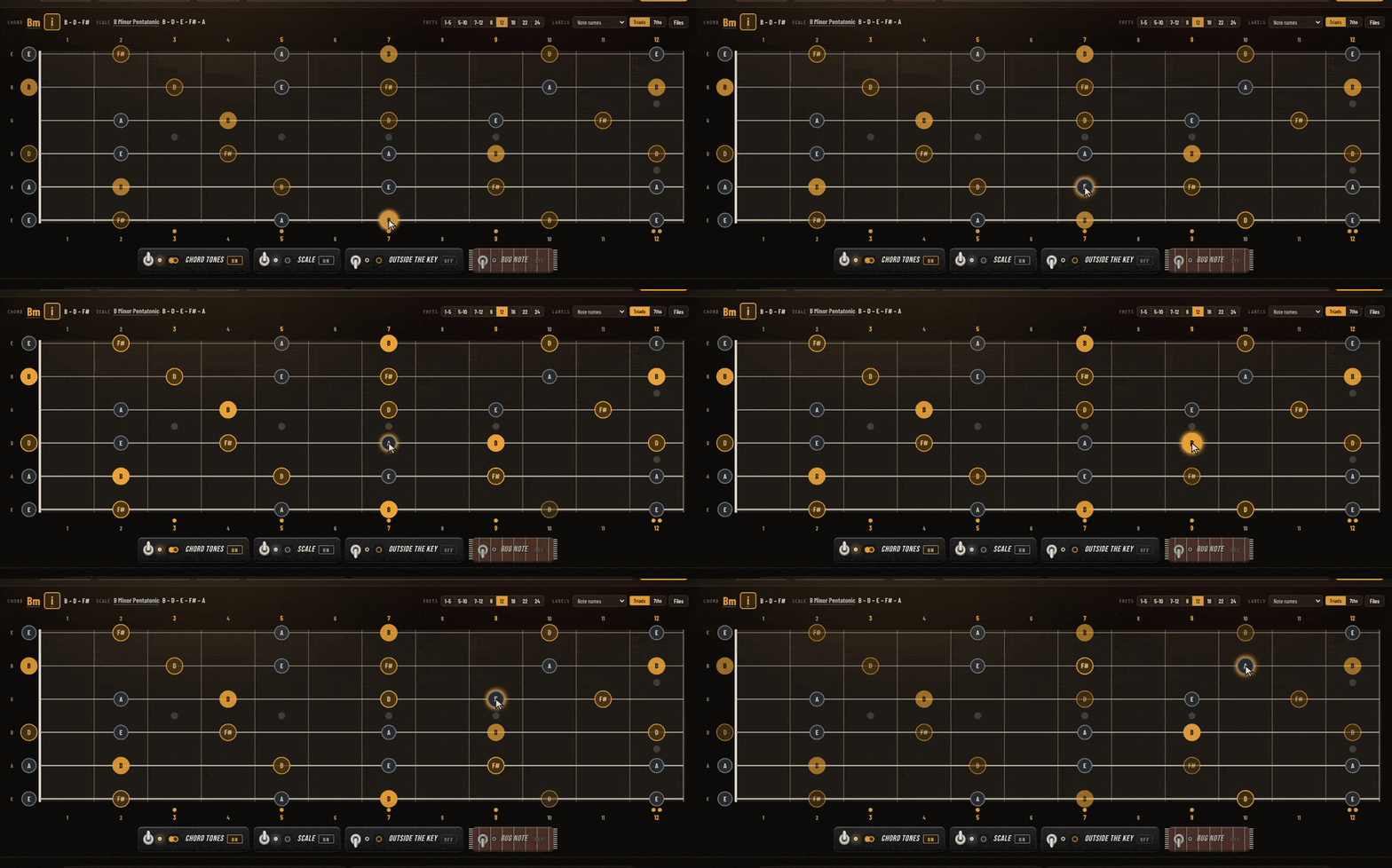
Rhythm runs
Scale patterns played top to bottom or bottom to top in any subdivision, with a metronome click on the beat.
Real rhythms
Every song and example uses its real rhythm, with the 1-2-3-4 count shown alongside.
Drills that use the fretboard
Practice that happens on the neck, not on flash cards.

Workouts
Short gym-style drills built from the lesson material.
Fretboard quiz
The neck lights up a note. Name it, or build a given interval from it.
Ear training
Hear it, then find it on the fretboard.
Also in the box
Scales that go past the basics
Major, minor, pentatonics, the modes, melodic minor and harmonic minor with all their modes, plus exotic scales from the courses like hirajoshi.
12 tunings
Standard, Drop D, Eb, D and C standard, Drop C, Open E, G, D and A, DADGAD, and FACGCE.
Lessons inside the tool
Course lessons with their examples loaded on the neck, so you can read the lesson and see it at the same time.
Tab writer
Write your own tab and watch it play on the neck.

Free lessons that run on Lucid
See all the freebies →Modes: How To Use Them
Five steps, from one set of notes and seven homes to modes in real songs. Open it →
Phrygian Dominant
Where it comes from, the D7 it accents, the dim7 chords and the Hangar 18 backing. Open it →
9 Biggest Guitar Secrets
The interactive companion, every secret on the neck. Open it →
Fretboard tool FAQ
What is a fretboard tool?
A fretboard tool shows notes, scales and chords on a picture of the guitar neck, so you can see where everything lives. Lucid goes a step further: it shows which notes are chord tones over the chord you are on, inside the scale, inside the song.
How is Lucid different from other fretboard visualizers?
Most fretboard visualizers show a scale as a box of dots. Lucid ties every dot to the chord, the progression and the song, plays it back in time, and pulls its songs and examples straight from the Play It Loud courses.
Can I try Lucid for free?
Yes. The free lessons above run on Lucid: Modes, Phrygian Dominant and the 9 Biggest Guitar Secrets. The full version comes with PIL Method and Fretboard Ignition.
START FREE
Pick a free lesson and see Lucid on your own neck. Not sure where to start? Modes is the one most players get the most out of.
Want the full version? Lucid comes with PIL Method, or Fretboard Ignition if you are just starting out.